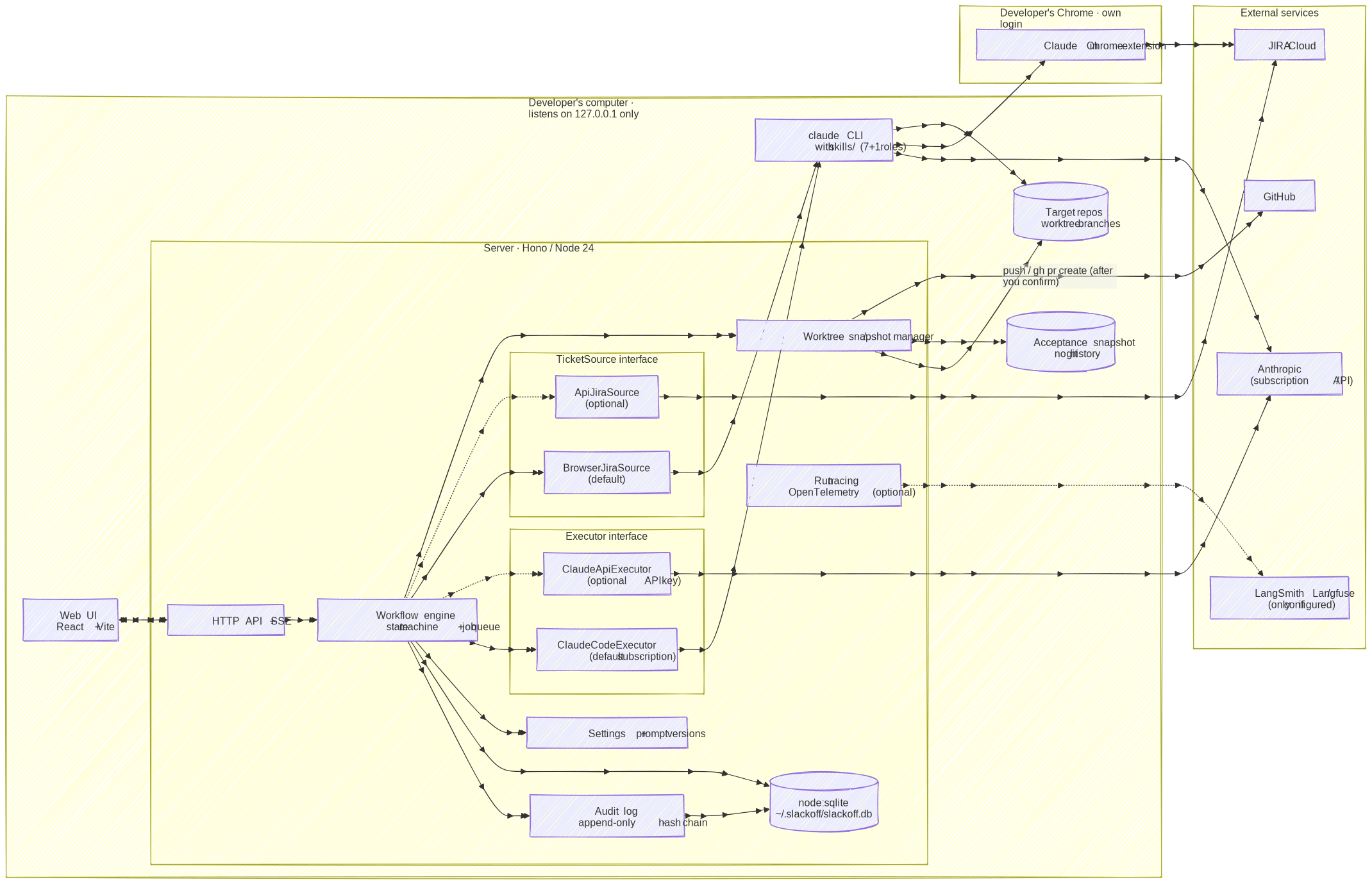
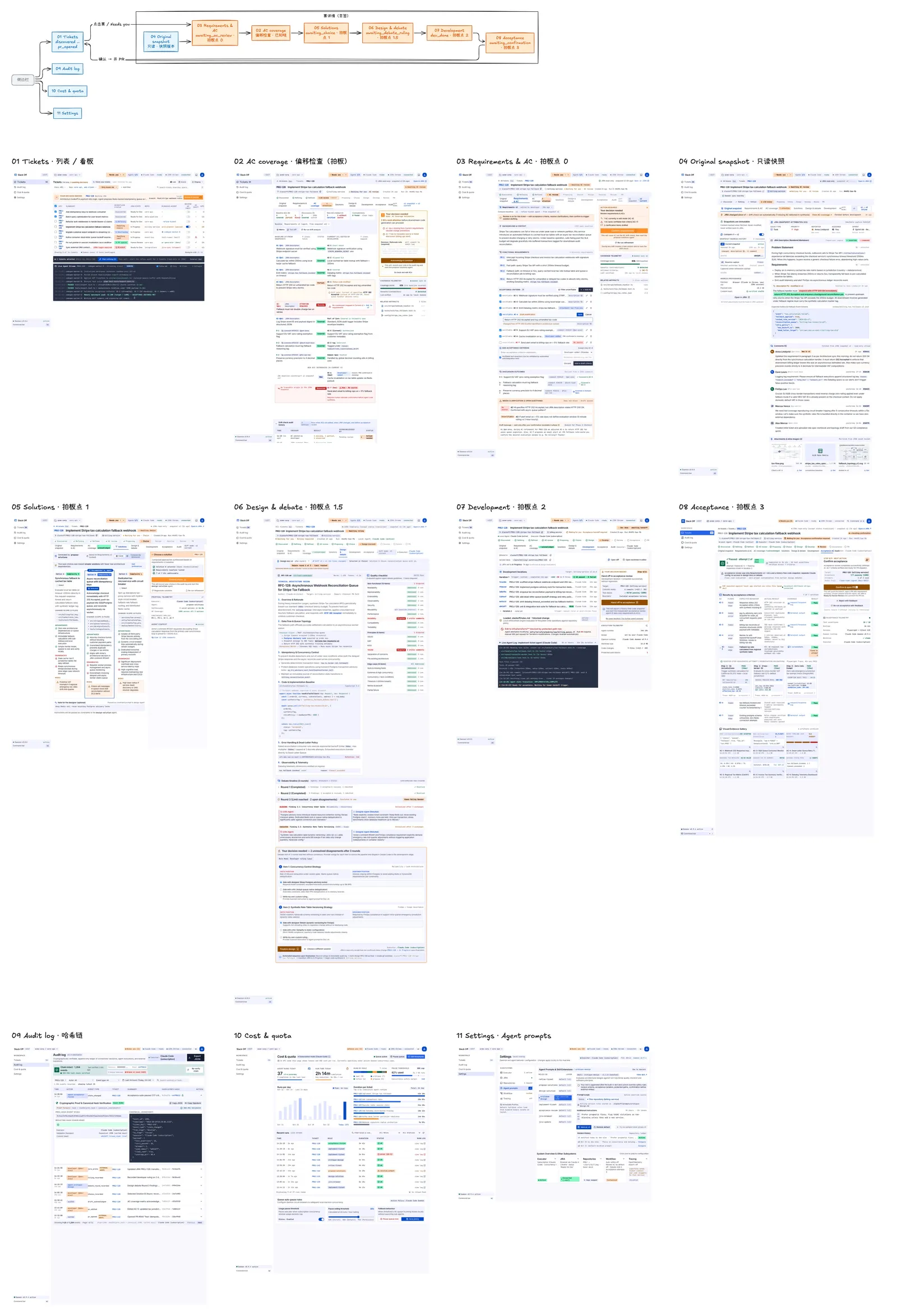
- Web UI Your computer (listens on 127.0.0.1 only)
- Technology: React + Vite, mobile-first
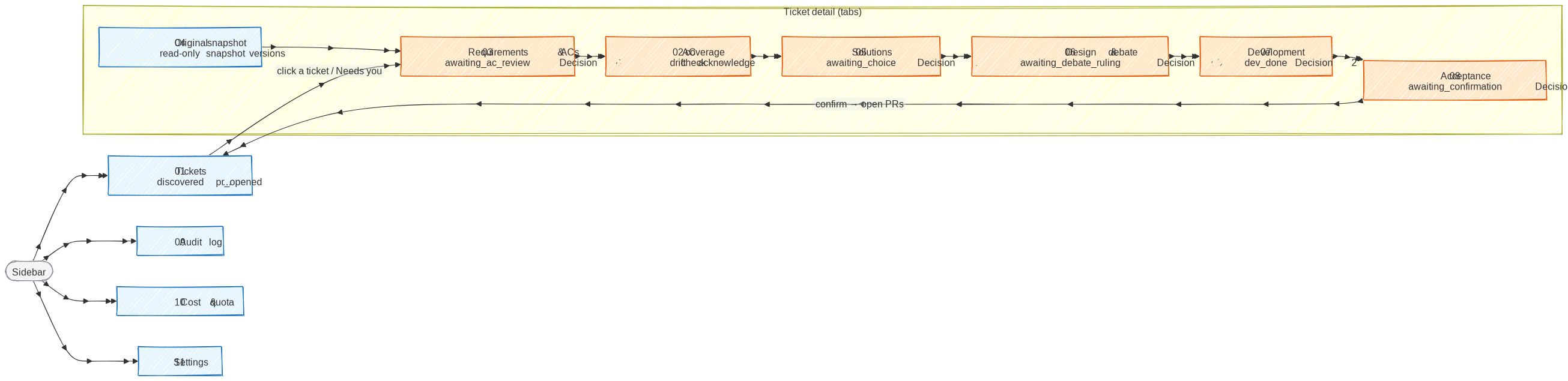
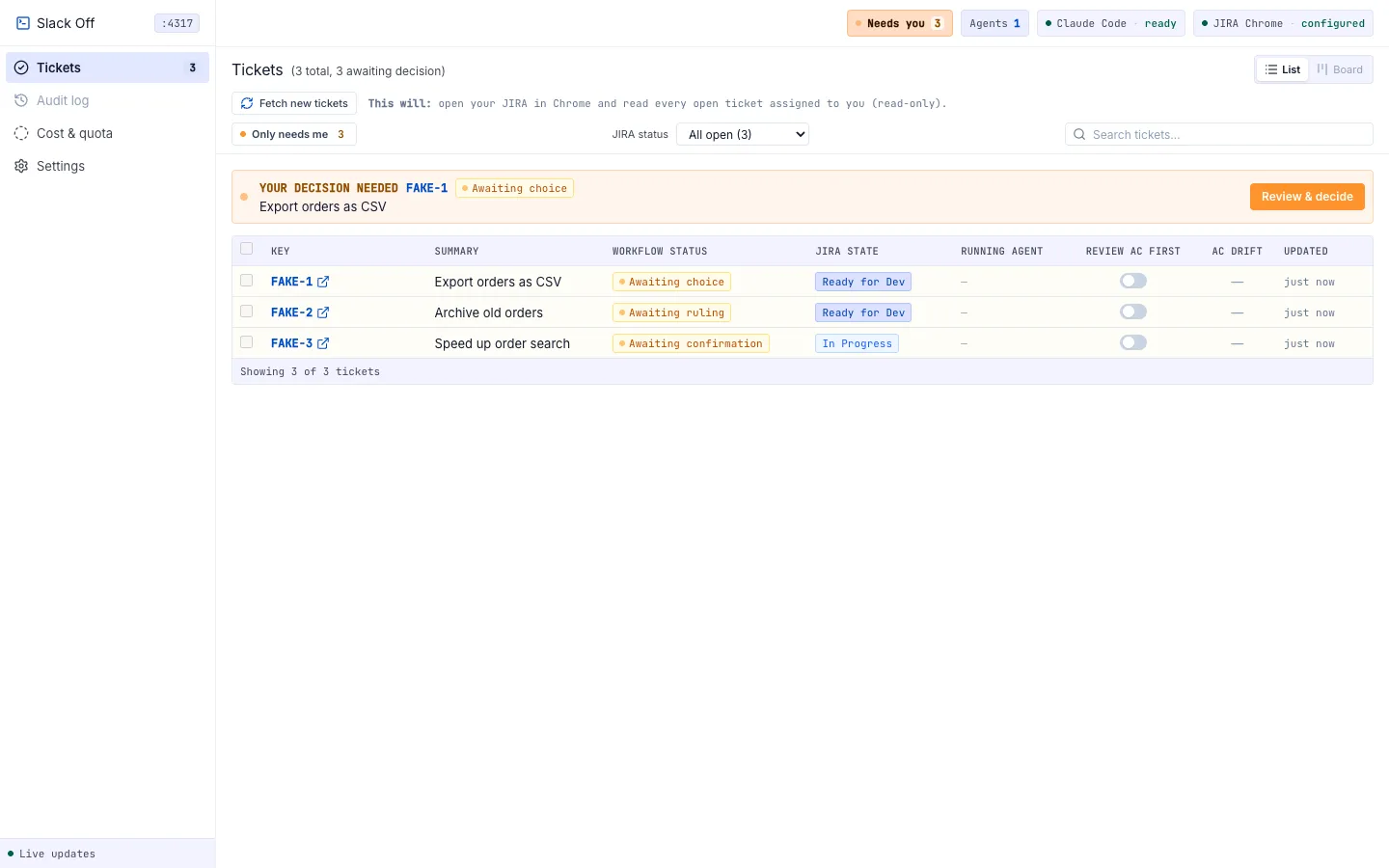
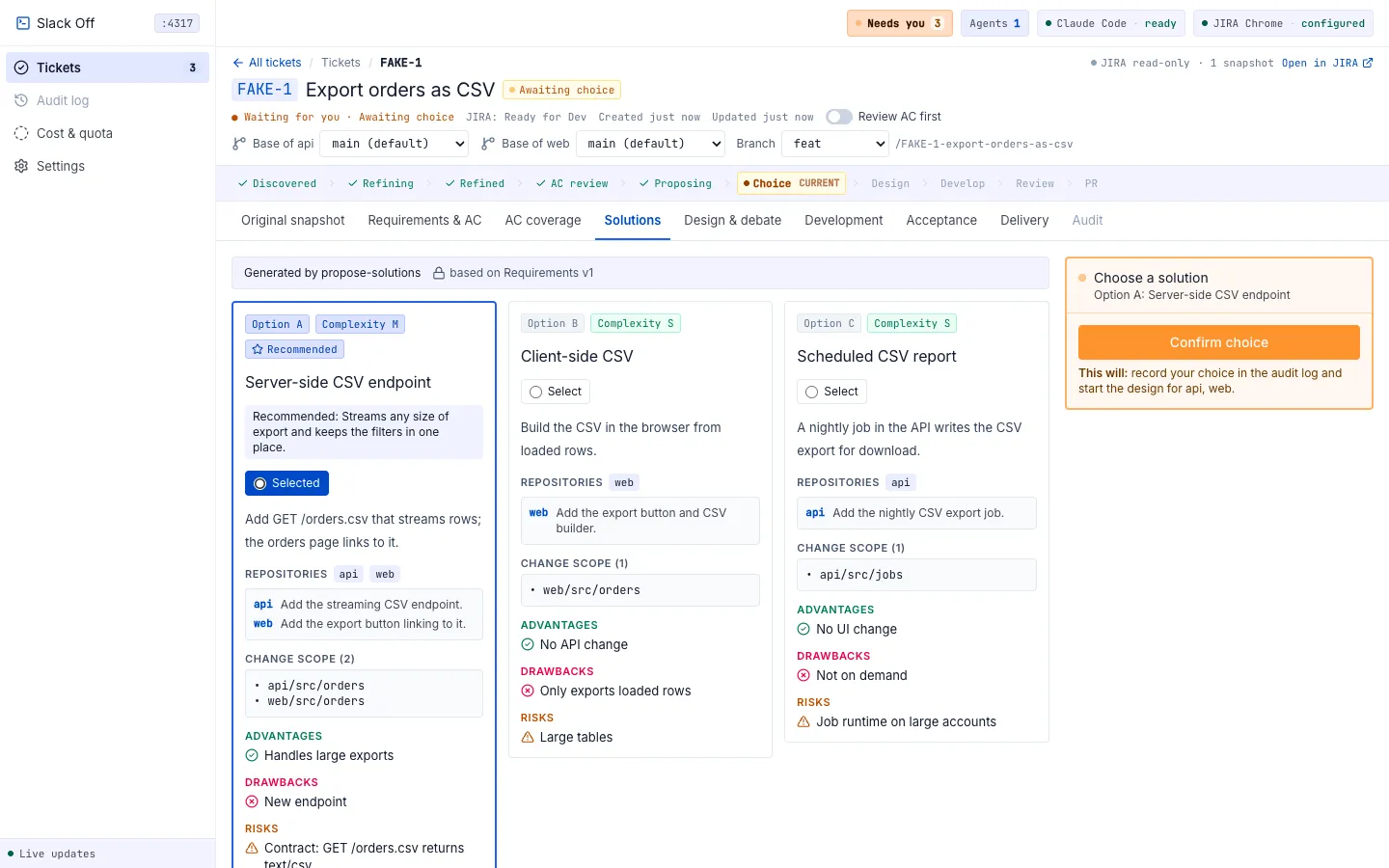
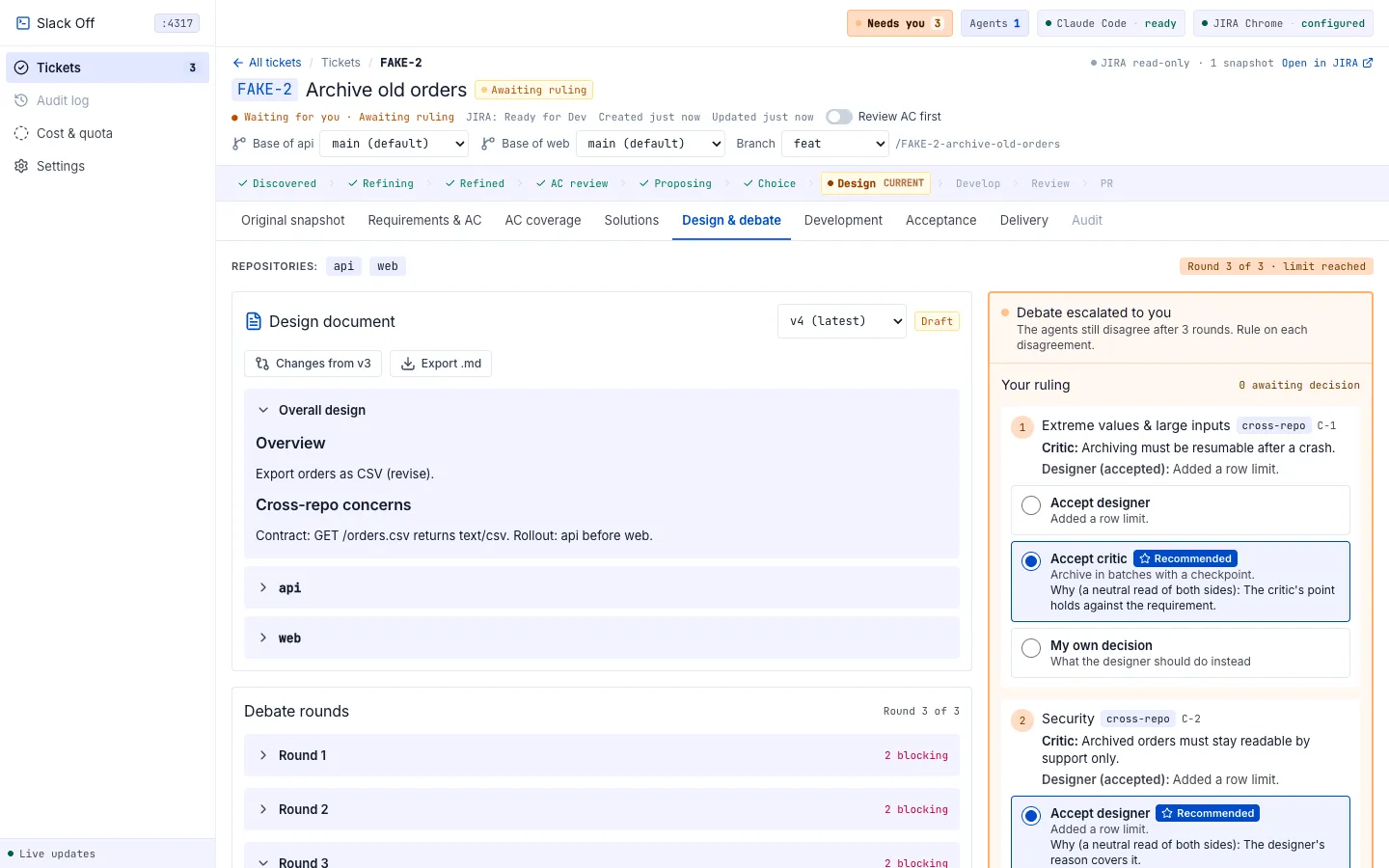
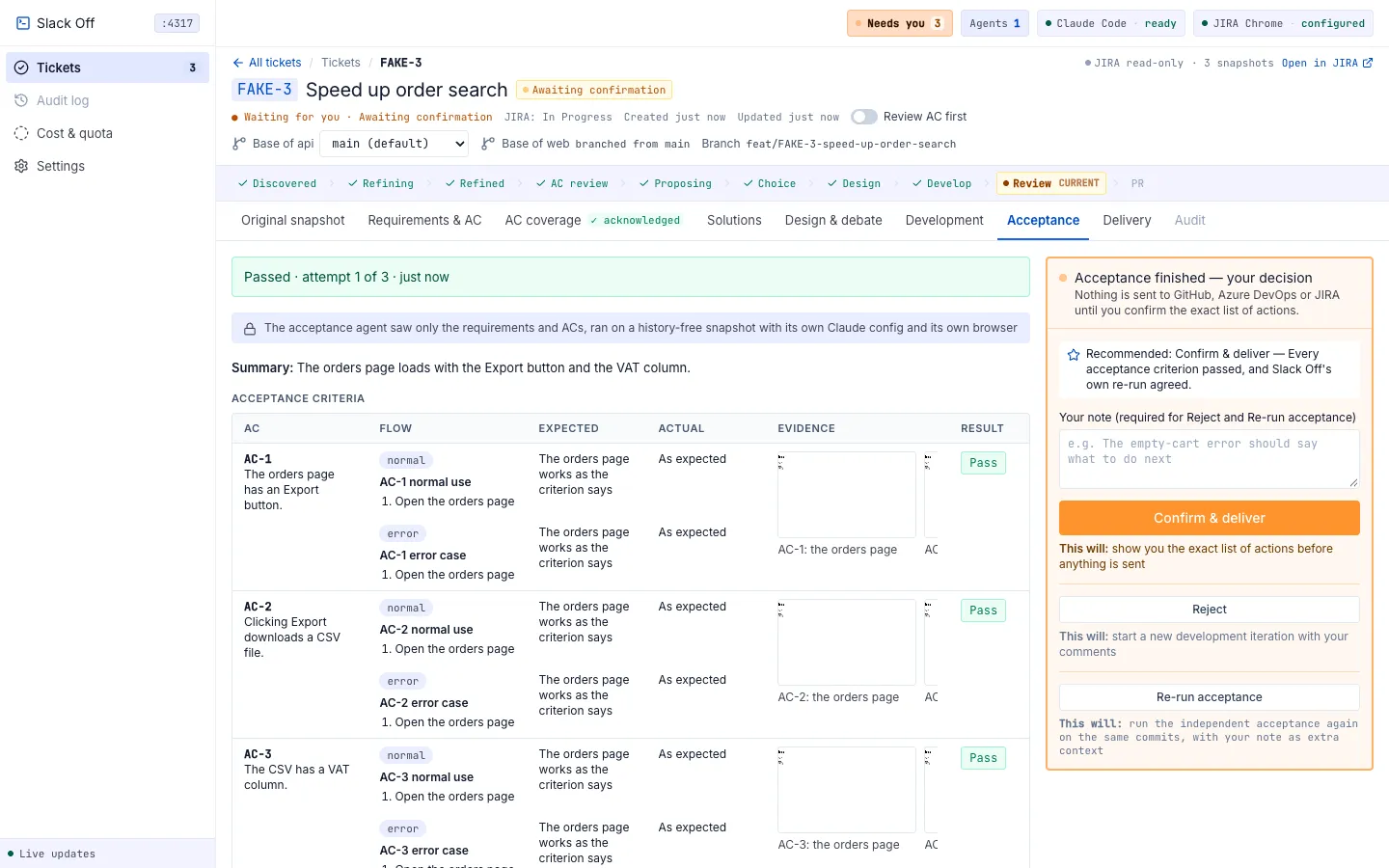
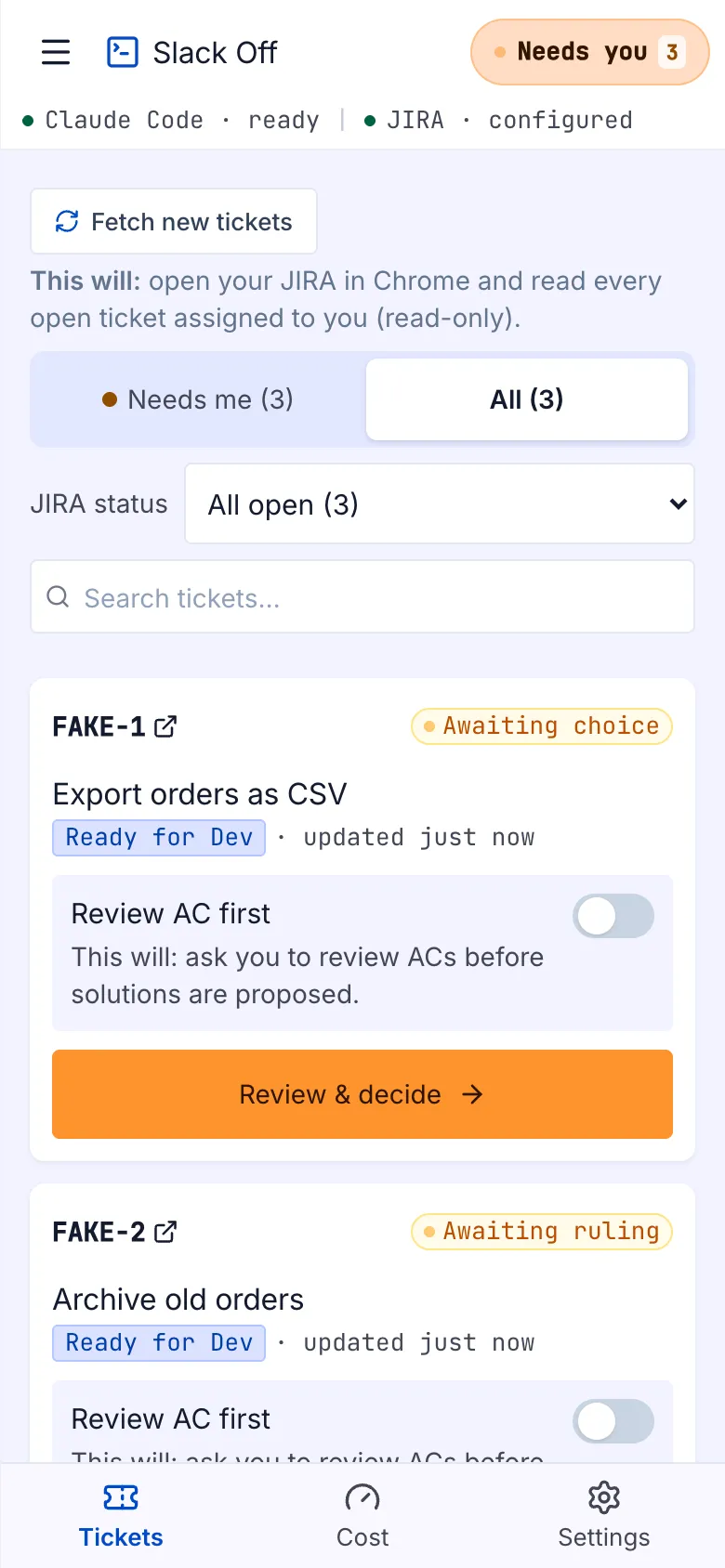
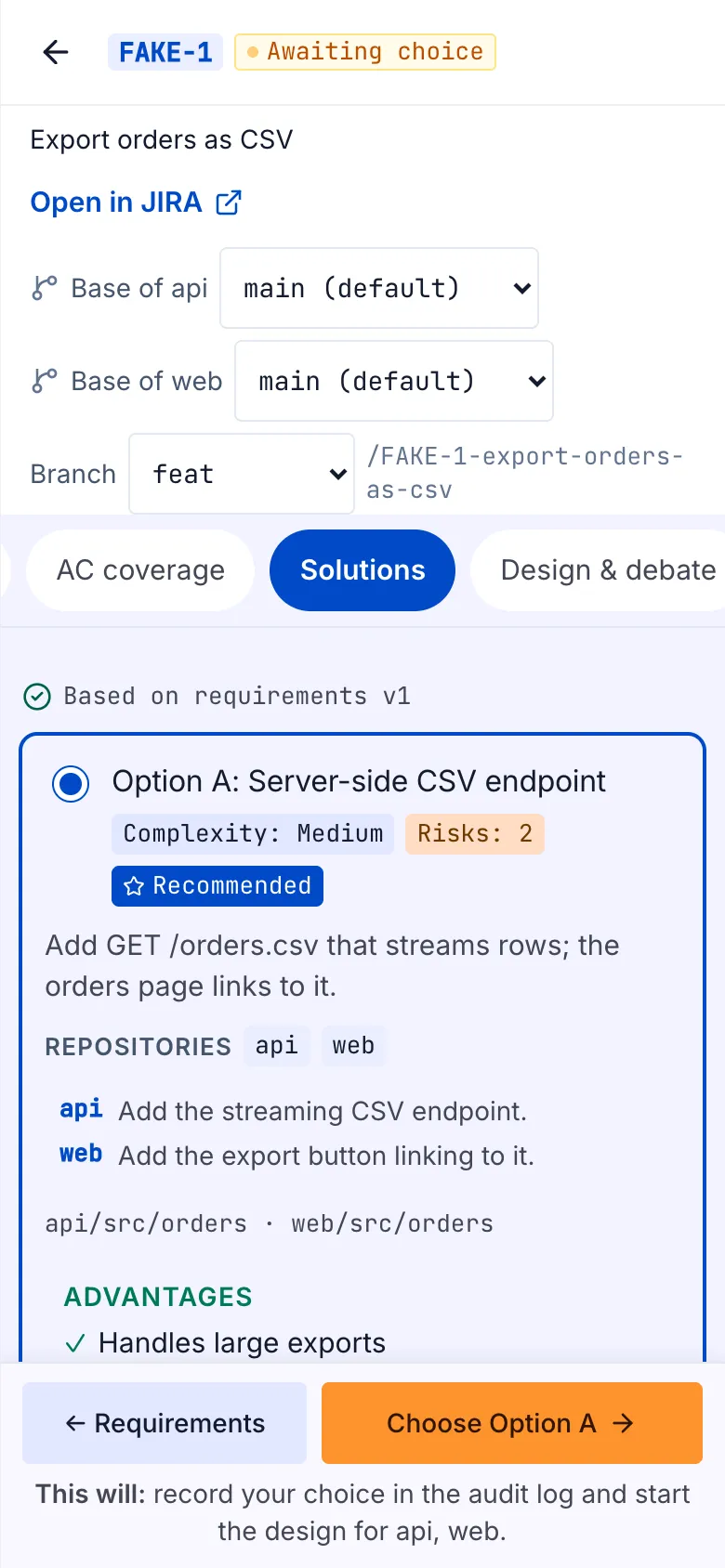
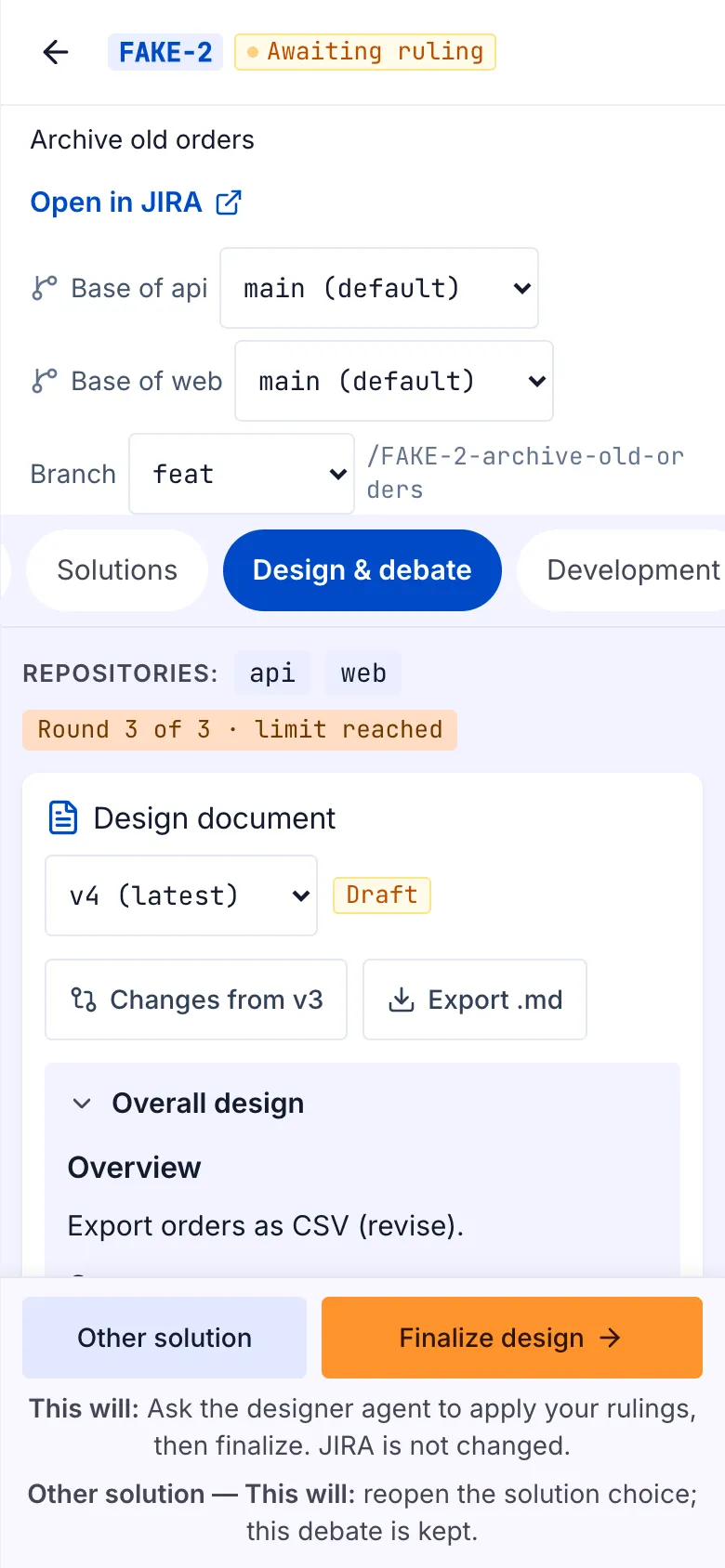
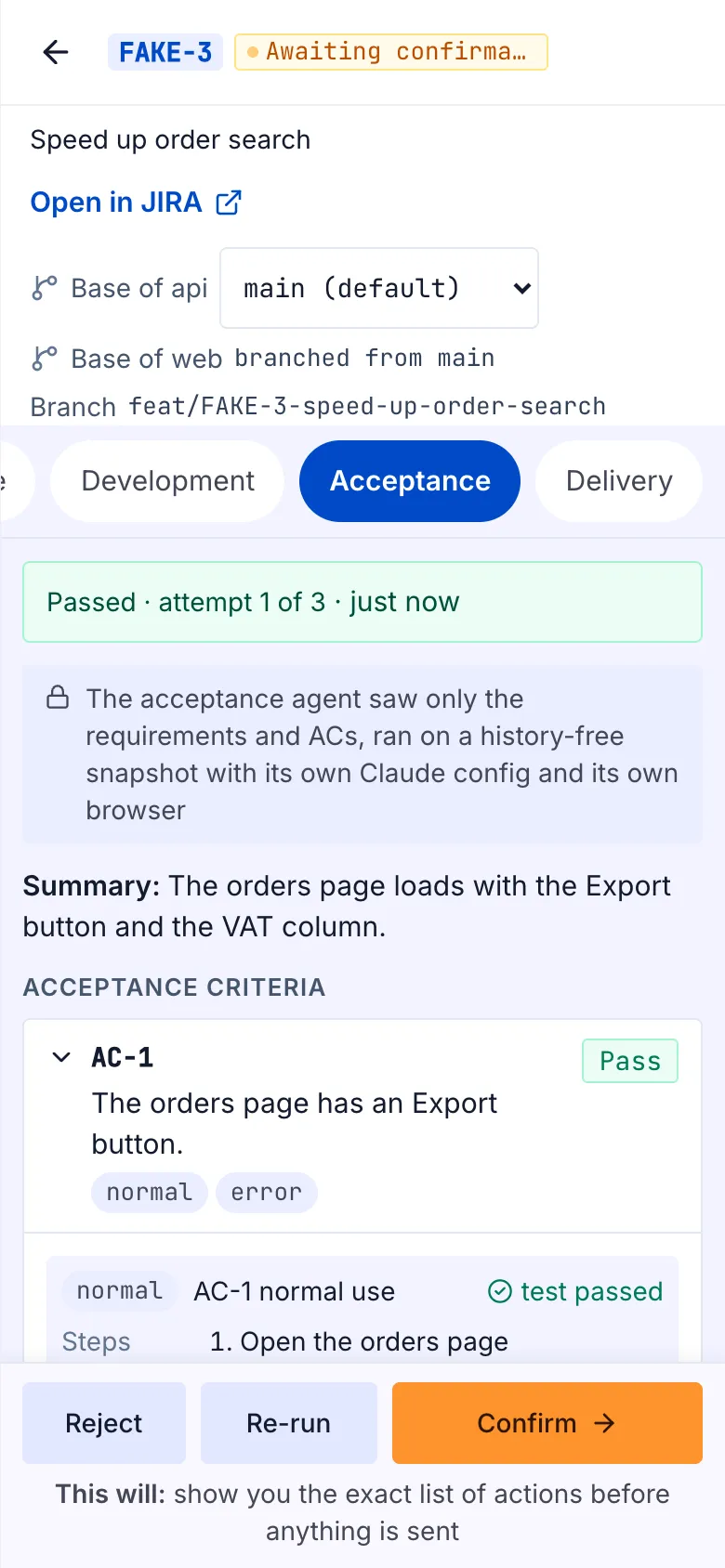
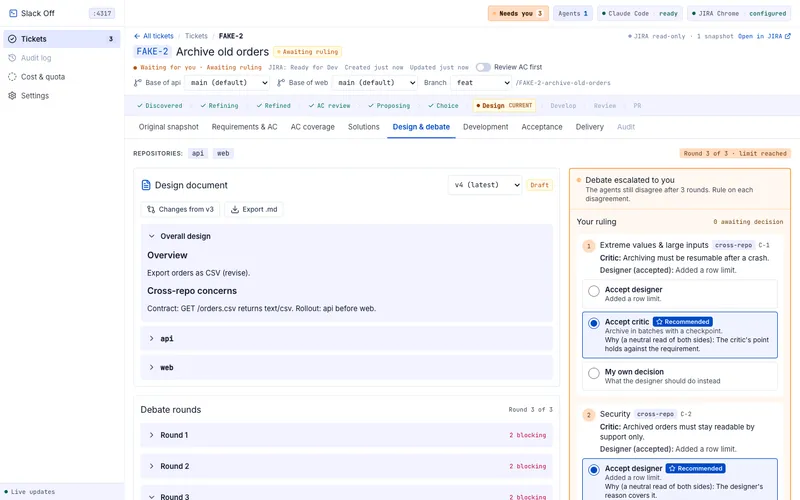
- Role: Shows every ticket, its state and the decisions waiting for you. At phone width every decision sits in a sticky bottom bar that says what will happen before you tap.
- Why this way: The product is a queue of decisions, so the UI is built around "Your decision needed" cards rather than dashboards. Mobile-first so you can decide away from your desk.
- HTTP API + live updates Your computer (listens on 127.0.0.1 only)
- Technology: Hono on Node, Server-Sent Events
- Role: Serves the UI and its API, and pushes state changes to open pages as they happen.
- Why this way: Agents run for minutes; SSE lets every open page (desktop or phone) follow a ticket without polling. Requests from this computer need no token; a paired phone needs its session cookie.
- Workflow Your computer (listens on 127.0.0.1 only)
- Technology: State machine + job queue (TypeScript)
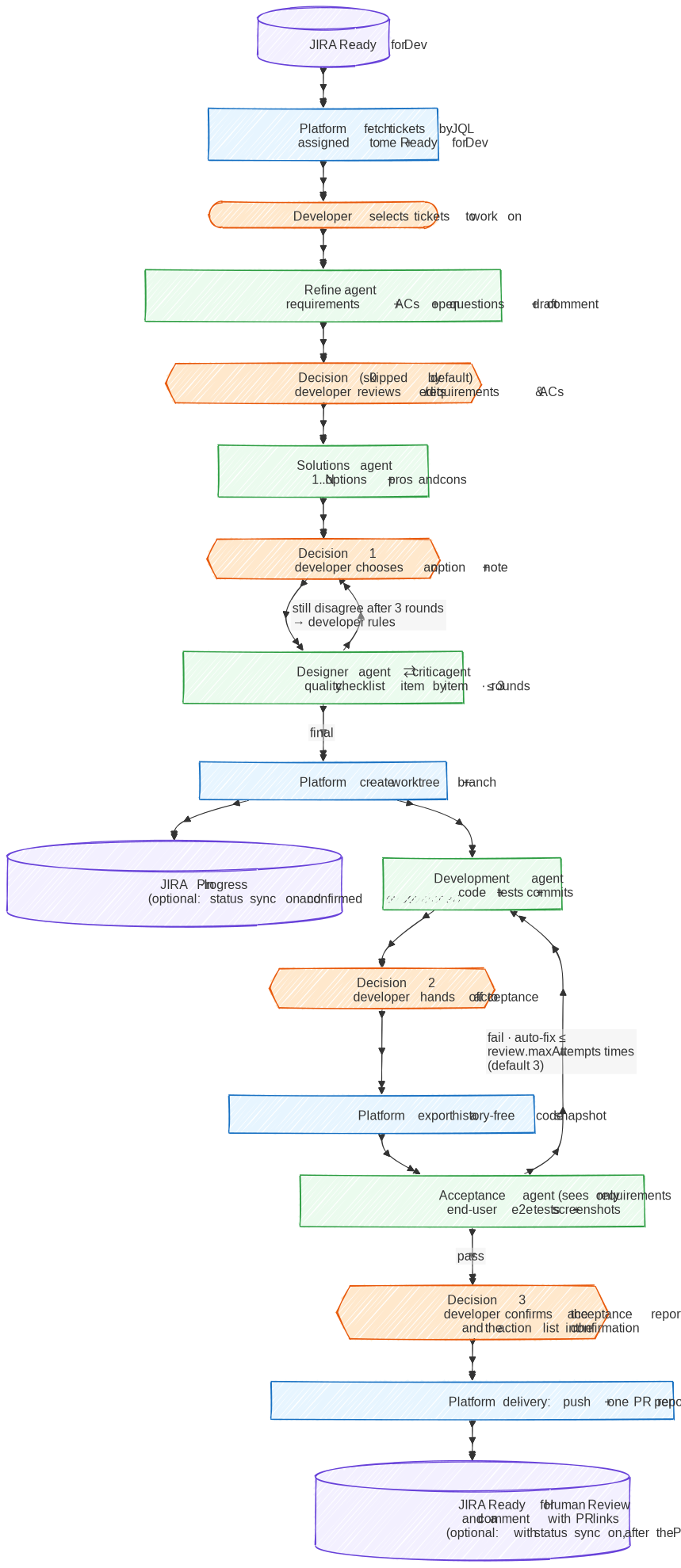
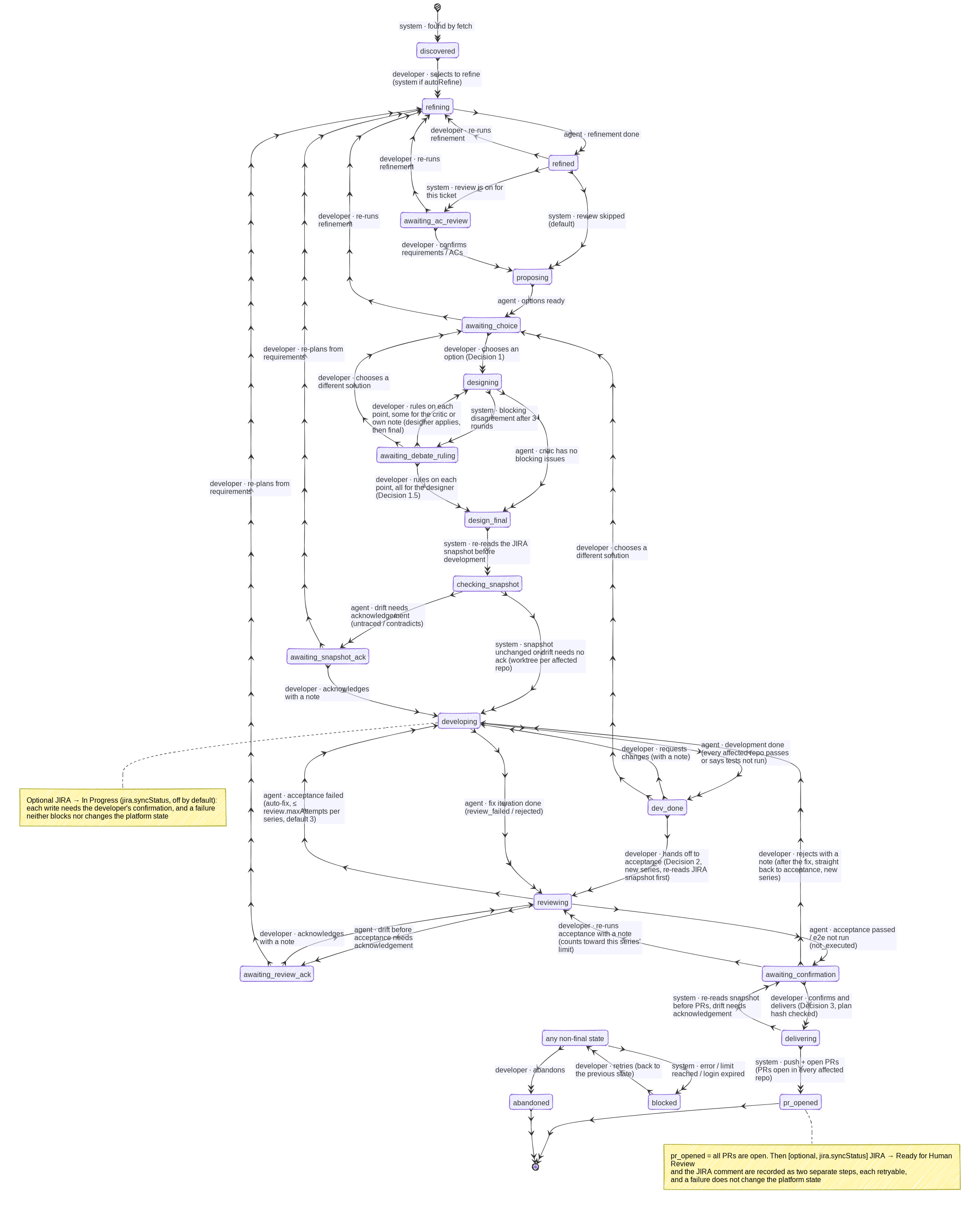
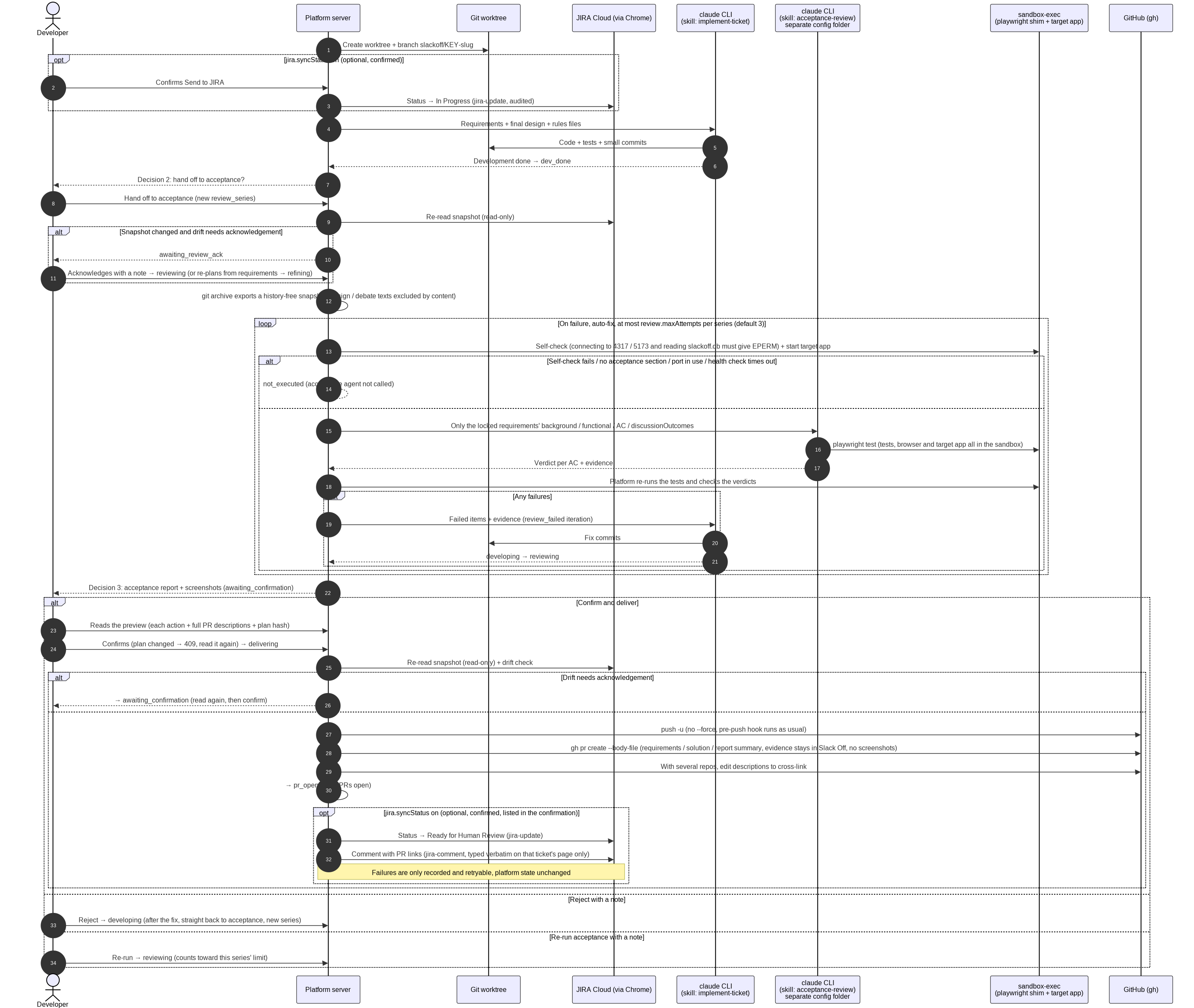
- Role: Moves each ticket through its states (refining, proposing, designing, developing, reviewing, delivering) and stops in an awaiting_ state whenever a person must decide.
- Why this way: An explicit state machine makes every pause, retry and failure visible and testable: any failure moves the ticket to blocked, and Retry continues where it stopped.
- Audit log Your computer (listens on 127.0.0.1 only)
- Technology: Append-only table with a hash chain
- Role: Records every decision, every confirmed outward action and the device that made it.
- Why this way: Agents act on your behalf, so you need a record that can't be quietly edited later. Each entry is chained to the previous one by its hash.
- Database Your computer (listens on 127.0.0.1 only)
- Technology: SQLite (node:sqlite), ~/.slackoff/slackoff.db
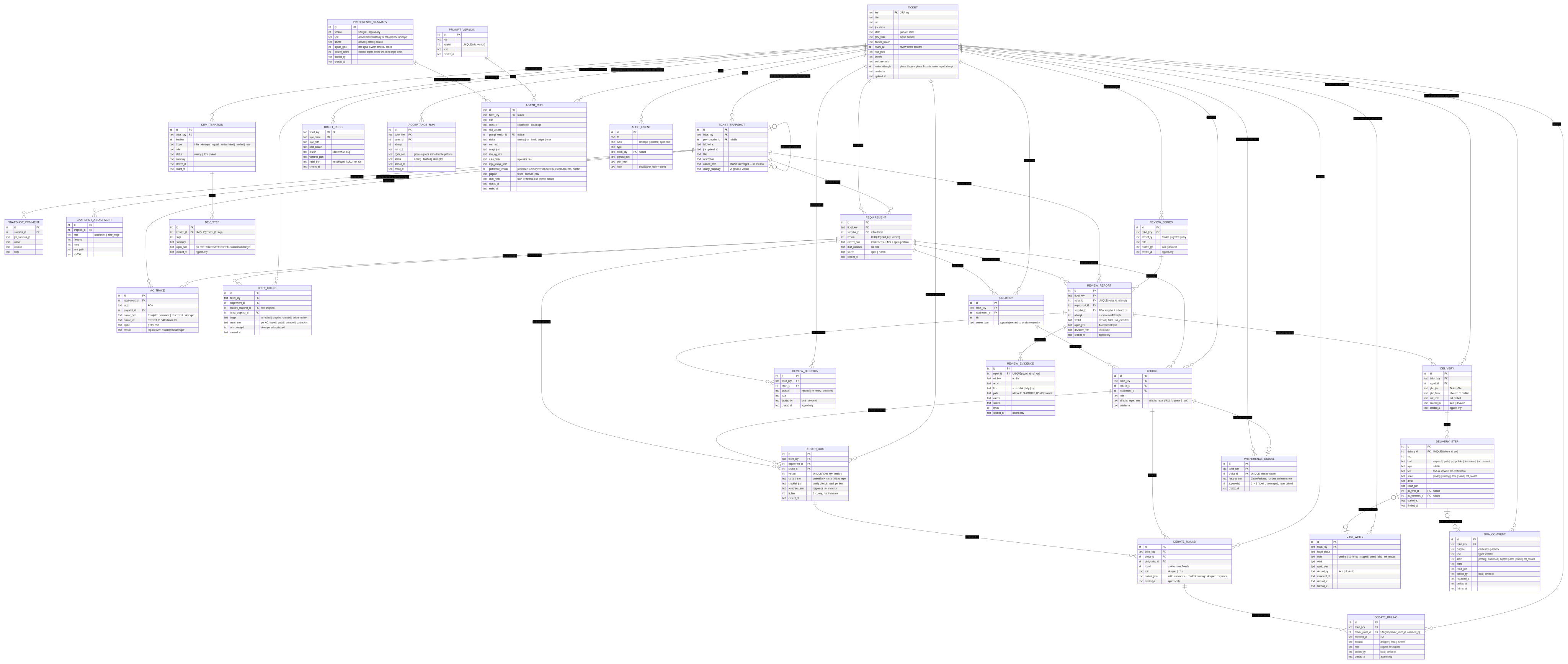
- Role: Holds tickets, frozen snapshots, requirement versions with AC sources, solutions, design versions, debate rounds, rulings, development steps, acceptance reports and deliveries.
- Why this way: A single-user local tool needs no database server. Snapshots and versions are only ever added, so every decision can be traced to the exact ticket text it was based on.
- Executor Your computer (listens on 127.0.0.1 only)
- Technology: Abstraction: Claude Code subscription (default) or Anthropic API key
- Role: Starts each agent run with the right role, tools, flags and folder, and checks the agent's answer against a schema.
- Why this way: One interface for both ways of paying for Claude, with the same CLI, sandbox and flags; a fake executor runs the whole workflow offline for tests and the demo.
- Ticket source Your computer (listens on 127.0.0.1 only)
- Technology: Abstraction: JIRA through your Chrome (default) or the JIRA REST API
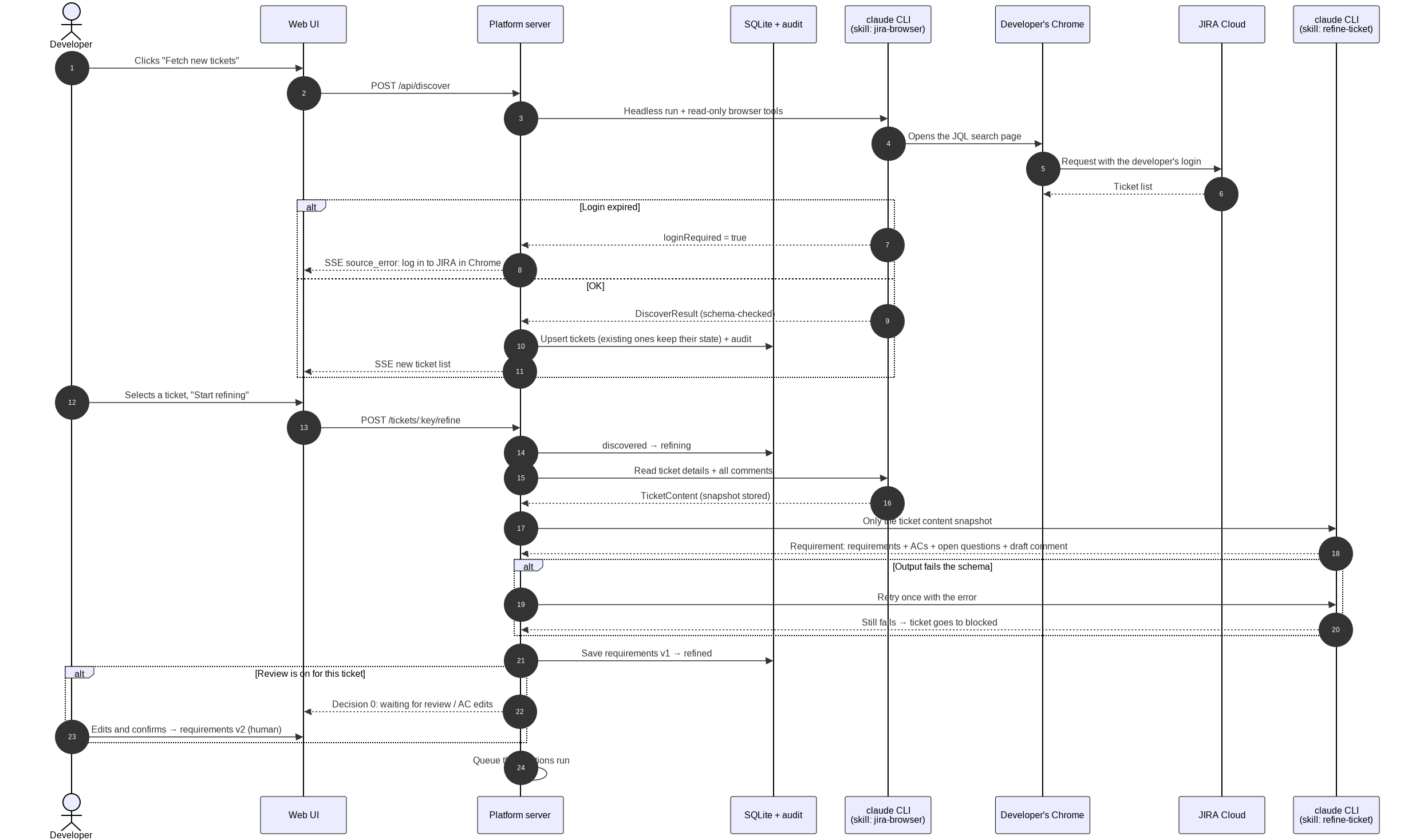
- Role: Fetches your open tickets, freezes snapshots, re-reads a ticket before development, acceptance and delivery, and makes confirmed status changes and comments.
- Why this way: Browser mode needs no API token or admin approval, so you can try it at once; API mode is faster and costs no agent runs. Every write is read back to verify it.
- Agents Your computer (listens on 127.0.0.1 only)
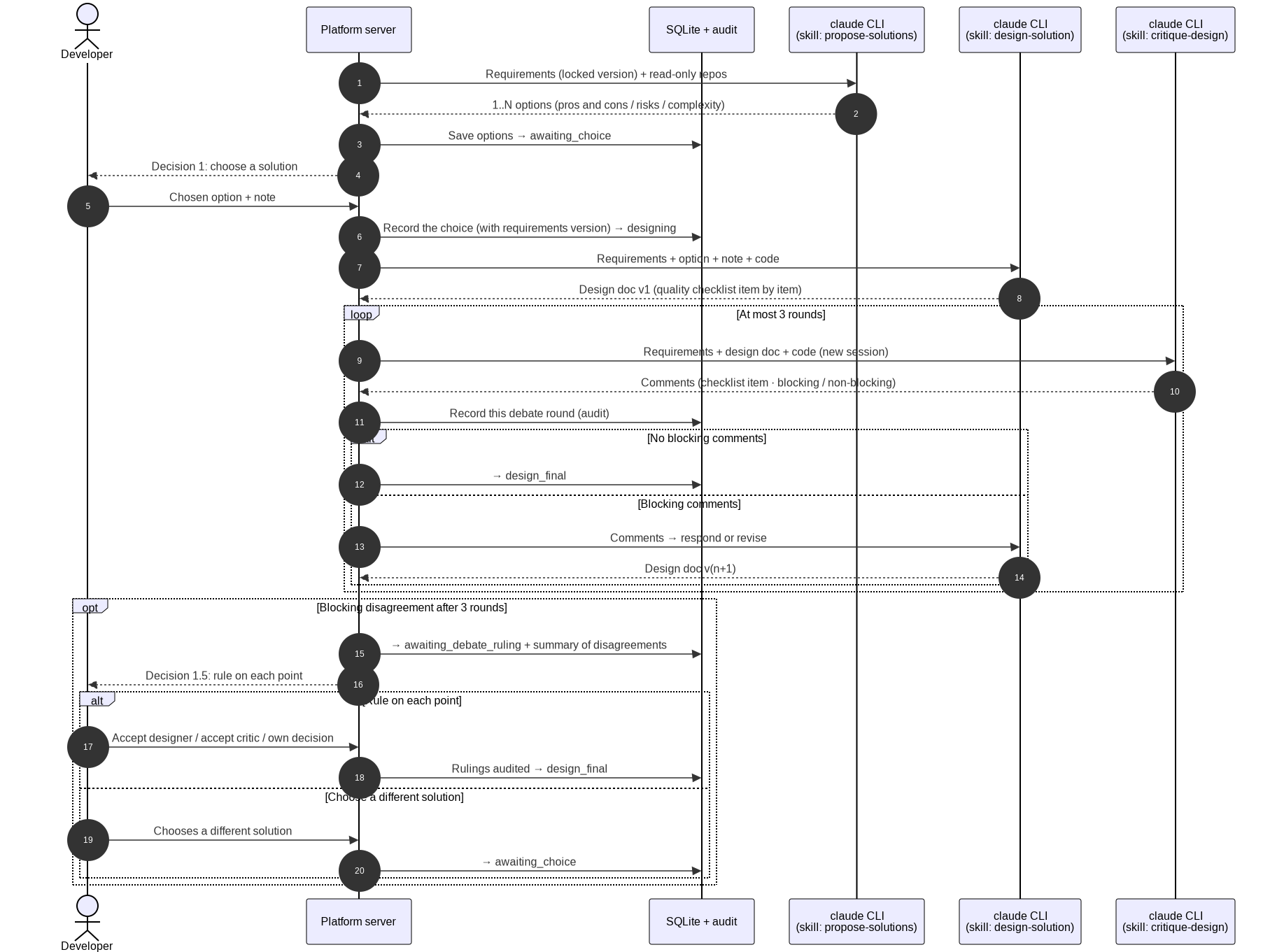
- Technology: claude CLI + skills/ (refine, propose, design, critique, implement, acceptance, JIRA roles)
- Role: Each agent role is a Claude Code skill. Every run is a fresh session with only the inputs that role should see.
- Why this way: Roles are plain skills, so each can also be used by hand. Fresh sessions keep roles independent: the critic sees only the design, the acceptance agent only the requirements.
- Your Chrome Your computer (listens on 127.0.0.1 only)
- Technology: Claude in Chrome extension, your own JIRA login
- Role: In browser mode, the JIRA agents read tickets (and make confirmed changes) in your own browser, as you would.
- Why this way: Slack Off never reads or stores your JIRA login.
- Worktrees and snapshots Your computer (listens on 127.0.0.1 only)
- Technology: git worktree per repository, branch <type>/<KEY>-<title>
- Role: Gives every affected repository its own worktree and branch, runs the declared build/lint/test commands and git hooks after each development step, and makes the commits and pushes.
- Why this way: The agent never touches your own working directory and cannot run git; the platform commits only when the checks pass, and never uses --no-verify or --force.
- Command sandbox Your computer (listens on 127.0.0.1 only)
- Technology: macOS sandbox-exec profile, self-check before every run
- Role: Runs every command that executes repository or agent-written code: installs, builds, tests, git hooks, the app under acceptance and its tests.
- Why this way: Local requests are trusted as you, so any test script could call Slack Off's API. The sandbox blocks Slack Off's ports, credential folders and secret environment variables; if the self-check fails, nothing runs.
- Your repositories Your computer (listens on 127.0.0.1 only)
- Technology: Git, rules in .slackoff/ on the base branch
- Role: Where the code lives. Each repository can declare its commands, forbidden paths, checklist items and acceptance setup.
- Why this way: Rules are read from the base branch only, so the agent can't loosen them on its own branch.
- Acceptance copy Your computer (listens on 127.0.0.1 only)
- Technology: Exported tree, no .git, fresh run folder
- Role: A copy of the committed code with no history, which the acceptance agent tests end to end with Playwright's own Chromium.
- Why this way: Without history, design or debate, the acceptance agent tests what was asked for, not what was built. The platform re-runs the tests itself and trusts only its own run.
- Paired phone Your phone
- Technology: Browser over your Tailscale network, paired by QR code
- Role: Takes every decision away from your desk: choose, rule, confirm, deliver.
- Why this way: Reachable only inside your private tailnet, never the public internet. Settings, credentials and sandbox switches stay read-only on the phone.
- Anthropic Outside services
- Technology: Claude, through the Claude Code CLI
- Role: The model behind every agent role.
- Why this way: Reached only through the CLI, with tools and permissions set by Slack Off's flags.
- JIRA Outside services
- Technology: Jira Cloud (browser mode also Data Center)
- Role: Where tickets come from; optionally receives a status change and a comment with the PR links.
- Why this way: Read freely, written only after you confirm the exact change.
- Git host Outside services
- Technology: GitHub (gh CLI) or Azure DevOps (az CLI)
- Role: Receives the push and one pull request per repository, each linking the others.
- Why this way: Pushed only after you confirm, exactly the commit acceptance tested. Slack Off never merges, adds reviewers or labels.
- Tracing (optional) Outside services
- Technology: OpenTelemetry over HTTP (e.g. Langfuse, LangSmith)
- Role: Receives agent-run spans when you export them.
- Why this way: Off by default; every export is previewed and confirmed, metadata only unless you choose to include prompts.